
The right card.
In the right place.
A showcase, a back room, a second store. Give each physical copy a location people can actually find.
See how it works ↓- Exact card
- Store
- Physical location
- Availability
- Authorized employee
Stop hunting through
the wrong box.
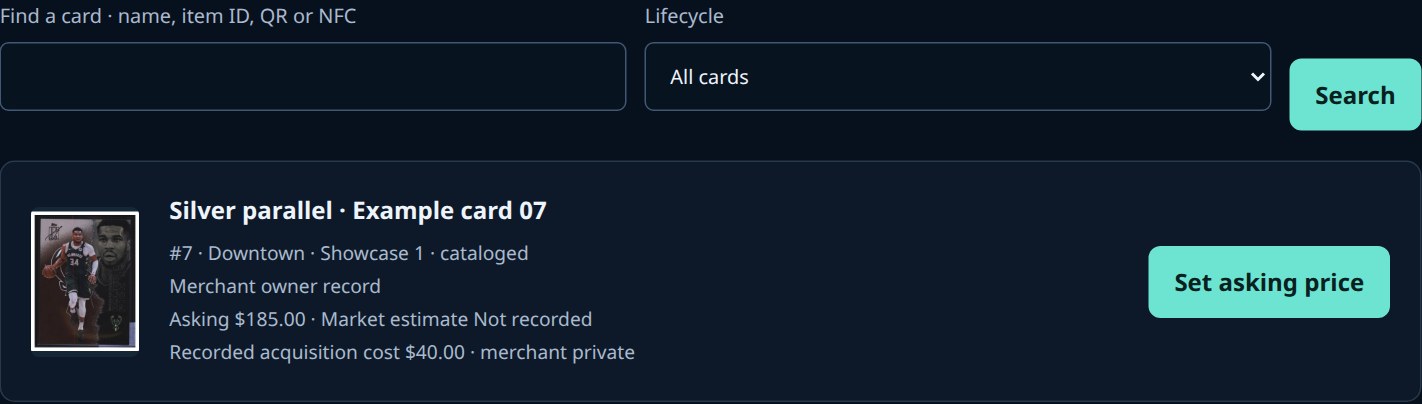
The inventory screen brings the card image, location, asking price and ownership state together.
- Search by card details, item identity, QR or supported NFC.
- Show acquisition cost only to staff with the right permission.
- A card in another location is not automatically yours to operate on.
Several stores.
Clear boundaries.
Authorized staff see this location.
Separate location permissions.
Illustrative organization. Location access controls are piloted. Guided store-to-store transfers and consolidated multi-store reporting still need broader implementation and acceptance.
Visible does not mean sellable.
Ownership, location, sale approval and current availability are separate checks. A held or sold card must not become a second sale.
Location permissions and exact-card stock controls have isolated acceptance coverage. Real stores require approved configuration and physical register acceptance. Simultaneous counter and external-channel selling is not generally enabled.
Let’s walk through
your shop.
One showcase or several stores. Start with the workflow you want to improve.
Controlled pilot enquiries. Contacting us does not activate payments, listings or shipping.
Explore HaloVault plans →